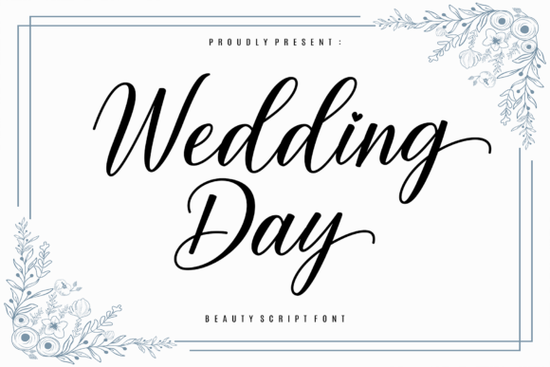
If you're working on wedding invitations, save-the-dates, or any romantic project, the Wedding Day font is a script typeface that brings a soft, sentimental feel to your designs. Its delicate letterforms and graceful strokes make it a natural choice for anything that needs a touch of elegance without being overly formal. Whether you're a designer or a small business owner, this font can help you create pieces that feel personal and heartfelt.
What makes Wedding Day different from other script fonts?
Many script fonts lean either casual or ornate, but Wedding Day finds a sweet spot in between. The strokes are fine and flowing, yet still readable. It doesn’t have the heavy calligraphy look that can overpower a design. Instead, it uses light, connected letters that evoke a sense of tenderness. That makes it especially useful for wedding stationery, love letters, or any project where you want the words to feel intimate.
Because it’s PUA encoded, you can easily access all the glyphs, swashes, and alternate characters. This means you can add flourishes or change the ending of a word without needing special software. For example, you might swap a standard “y” for a swash version to create a more elegant finish. It’s a small touch that makes a big difference in the final look.
How can I use this font for wedding projects?
Wedding Day works well for several parts of a wedding suite. Here are a few practical ideas:
- Invitations and RSVP cards – Use it for the couple’s names or the main heading. The delicate curves catch the eye without shouting.
- Place cards and table numbers – The font’s readability keeps names clear, even when printed small.
- Thank-you notes – A handwritten feel adds sincerity, especially when paired with a simple serif for the body text.
- Signage (welcome boards, seating charts) – Its elegant style fits rustic, vintage, or modern themes.
If you’re printing on textured paper or foil, the fine strokes maintain their shape well. Just test a sample first to make sure the thinnest parts don’t get lost in the paper grain.
Does it include alternate characters and swashes?
Yes. The PUA encoding gives you direct access to extra glyphs without opening a character map. You can find alternate letters for uppercase and lowercase, as well as decorative swashes that extend from the beginning or end of a word. This is handy if you want to customize a headline or make a single word look more ornamental. For example, you could add a swash to the first letter of “Forever” to create a focal point.
Because the font includes multiple options, it’s easy to avoid a repetitive look when using the same word multiple times (like “love” or “forever” on different pages).
What other fonts pair well with it?
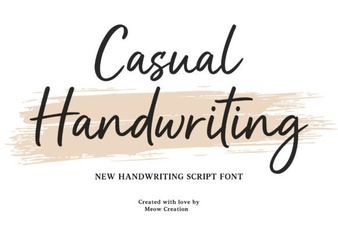
Wedding Day is a script, so it pairs best with simple sans or serif fonts for contrast. For body text, a clean sans like Lato or a thin serif like Cormorant works without competing. If you want a more casual vibe, a casual handwriting font can complement the elegance of Wedding Day when used for smaller details like dates or locations.
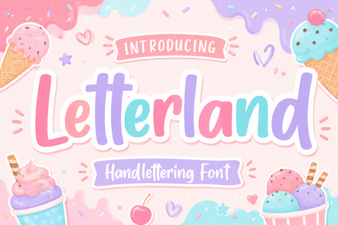
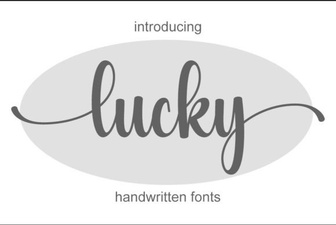
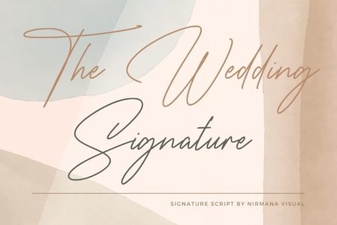
For a pop of color or playfulness, try a rainbow font in a festive invitation. The contrast between the delicate script and bright multicolored letters can feel modern. If you’re sticking with a romantic theme, the calligraphy style of the wedding signature font is another option that works in a similar space but has a slightly bolder stroke. For a more whimsical project, the letterland font adds a playful touch, while the lucky font brings a cheerful, lighthearted feel.
The key is to use only one script per design. Pair Wedding Day with a neutral, non-script font to keep the focus on the elegant script.
Is it easy to install and use in design software?
Yes. Like most Creative Fabrica fonts, Wedding Day comes as a standard OTF or TTF file. You install it on your computer or upload it to programs like Canva, Cricut Design Space, or Adobe Suite. The PUA encoding works across all these platforms, so you can access alternate characters without any extra setup. Just hold down the Alt key or use the Glyphs panel in Photoshop or Illustrator.
If you’re using it for print-on-demand products like mugs, T‑shirts, or wall art, test the size first. The thin strokes should be at least 2–3 mm thick when printed to stay legible.
Practical checklist before you buy
Before downloading Wedding Day, consider these points:
- Check the license – Creative Fabrica’s standard license covers most commercial uses (invitations, merch, digital products). Confirm for your specific project.
- Test with your design theme – Download the free demo or use a preview to see if the delicate style matches your brand or event.
- Pair it early – Choose a second font (sans or serif) before starting your layout. This saves time later.
- Download the PUA version – You’ll need it for swashes and alternates. Most downloads include both.
If you need a font that says “tender” without yelling, Wedding Day is a solid pick. Try it on a sample invitation to see how it transforms ordinary words into something that feels a little more special.
Download Now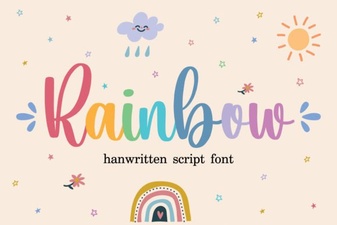 Colorful Typography Designs & Creative Projects
 Festive Christmas Fonts for Your Holiday Designs
 Creative Letterland Font Projects for Kids
 Best Lucky Font Choices for Creative Designs
 Casual Fonts for Creative Design Projects
 The Wedding Signature Font: Elegance for Your Invitations